
You have a personal Gmail with a Google Drive in it. You have a work Google Workspace account with another Drive. You have a client's Workspace account with a third. You want to see and edit files across all three Drives without juggling browser tabs, signing in and out, or copying files through Downloads as the middleman. You ask the obvious question: why isn't this just three mounted drives at the same time?
It can be — on Mac, Windows, and Linux, with as many accounts as you want. This post covers how to manage multiple Google Drive accounts on a desktop, what Google's own Drive for Desktop does (and doesn't), and where ExpanDrive fits. We make the tool; call this opinionated — but the framing is real.
The state of multiple Google Drive accounts on the desktop
For years, Google's official desktop client was a one-account-at-a-time affair — Backup and Sync, then File Stream, both limited to a single Google account. That's been wrong for a while: the modern Google Drive for Desktop (the consolidated app that replaced Backup and Sync and File Stream) supports up to four accounts simultaneously. So if "I just want two Google Drive accounts on my Mac" or "dual Google Drive on one machine" is the question and you don't have a fourth account, Google Drive for Desktop multiple accounts support is a valid answer.
It has three real limits, though:
- Four-account cap. Past four — three Workspace tenants + personal + client + side project — Google's app stops being enough.
- Awkward simultaneous mount UX. Each account in Drive for Desktop gets its own drive letter (Windows) or Finder volume (Mac), but the switching, naming, and configuration UI was bolted on. Multiple accounts in Drive for Desktop is supported but it's clearly not the primary use case Google designed for.
- No Linux. Google has never shipped a Linux Drive for Desktop client. If "multiple Google Drive accounts on desktop" includes a Linux box, Google's app isn't the answer at all.
These three limits are what bring people to a Google Drive multi-account client like ExpanDrive.
What ExpanDrive does for multiple Google Drive accounts
ExpanDrive mounts as many Google Drive accounts as you want, simultaneously, on Mac, Windows, and Linux. Each account becomes its own connection with its own mount point. Free for individuals and teams under 10 users since the 2025 Files.com acquisition — paid licenses only required for larger commercial, academic, and government teams.
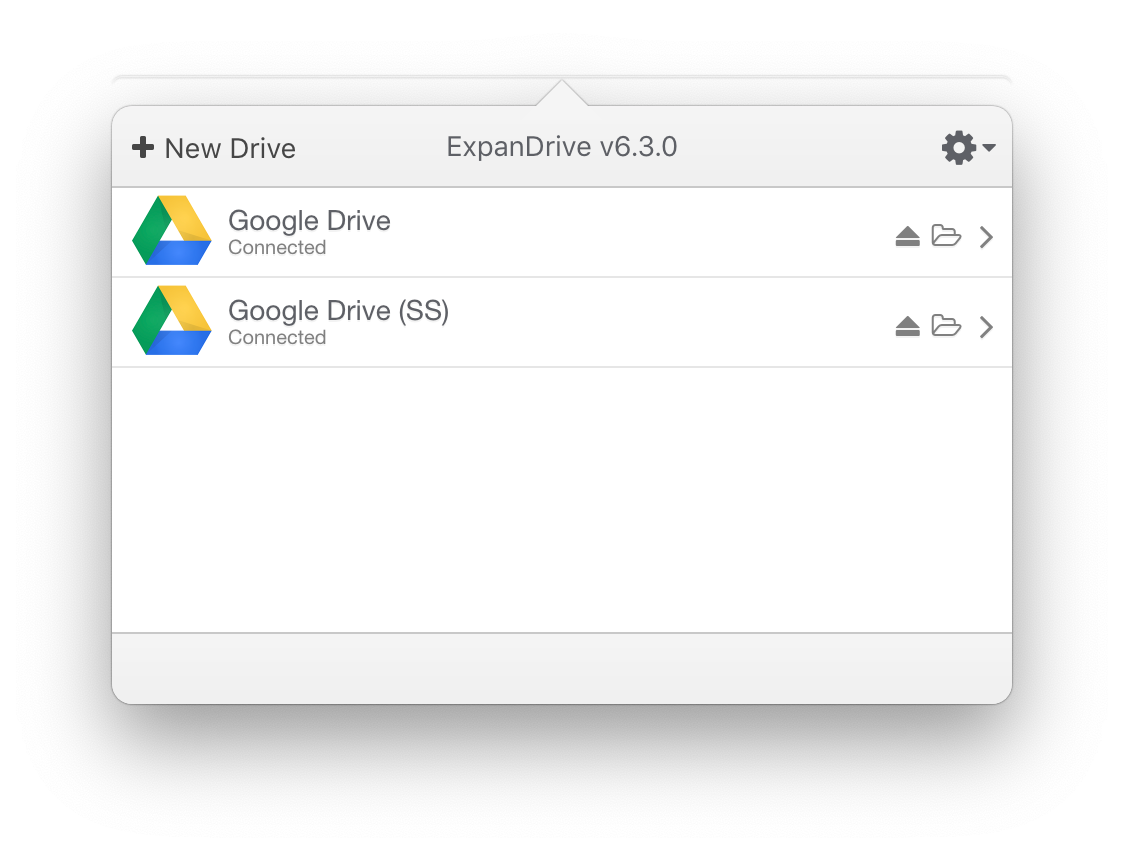
Two Google Drive accounts mounted simultaneously
What you get:
- Unlimited Google Drive accounts in one client. Personal, Workspace, multiple Workspace tenants, client Drives, side-project Drives. No four-account ceiling.
- Simultaneous mounts. All accounts mounted at once, each as its own drive letter (Windows), Finder volume (Mac), or directory under
~/Cloud Drives(Linux). No switching, no "which account is active right now" question. - Multiple Google Drive accounts on Mac, on Intel and Apple Silicon — two Google Drive accounts on Mac, three, or as many as you have. Multiple Google Drive accounts on Windows 10 / 11 / Server. Multiple Google Drive accounts on Linux — Ubuntu, Linux Mint, Fedora, RHEL, CentOS, Debian, Arch, OpenSUSE.
- Mix Google with non-Google clouds. Two Google Drive accounts + one OneDrive + a SharePoint site + an S3 bucket + a Dropbox — all in one client with one consistent UI. Treats every connection the same way, regardless of provider.
- OAuth + 2FA + Workspace SSO. Authentication goes through Google's normal flow per account. Your security keys, Workspace Conditional Access, organizational MFA all apply.
- Per-account nicknames. Give each connection a name that means something (
personal,work-acme,client-bigco,archives-2019) so the mount points and drive letters aren't a guessing game.
How to add multiple Google Drive accounts
The flow is the same on every supported OS:
- Download ExpanDrive for Mac, Windows, or Linux. Install.
- Open ExpanDrive, click Add Connection, pick Google Drive.
- ExpanDrive opens Google's OAuth flow in your browser. Log in to the first Google account, complete 2FA if your account has it, grant ExpanDrive read/write access.
- Pick which Drive (personal My Drive, or any specific Shared Drive in your Workspace) and pick the mount point. Give it a nickname —
personal,work, whatever's useful. - Click Connect.
- Repeat for the next account. Click Add Connection again. Google's OAuth flow lets you log into a different account this time. Mount it at a separate point.
That's it. End-to-end about 90 seconds per account. Three accounts → about 4 minutes of setup, then they all stay mounted across reboots.
Map a specific Team Drive (Shared Drive) per account
Beyond the account-level mount, ExpanDrive can pin to a specific Shared Drive (formerly Team Drive) inside a Workspace account. Useful when you only do work inside one team's Drive and don't need the rest of the organization's hierarchy mounted.
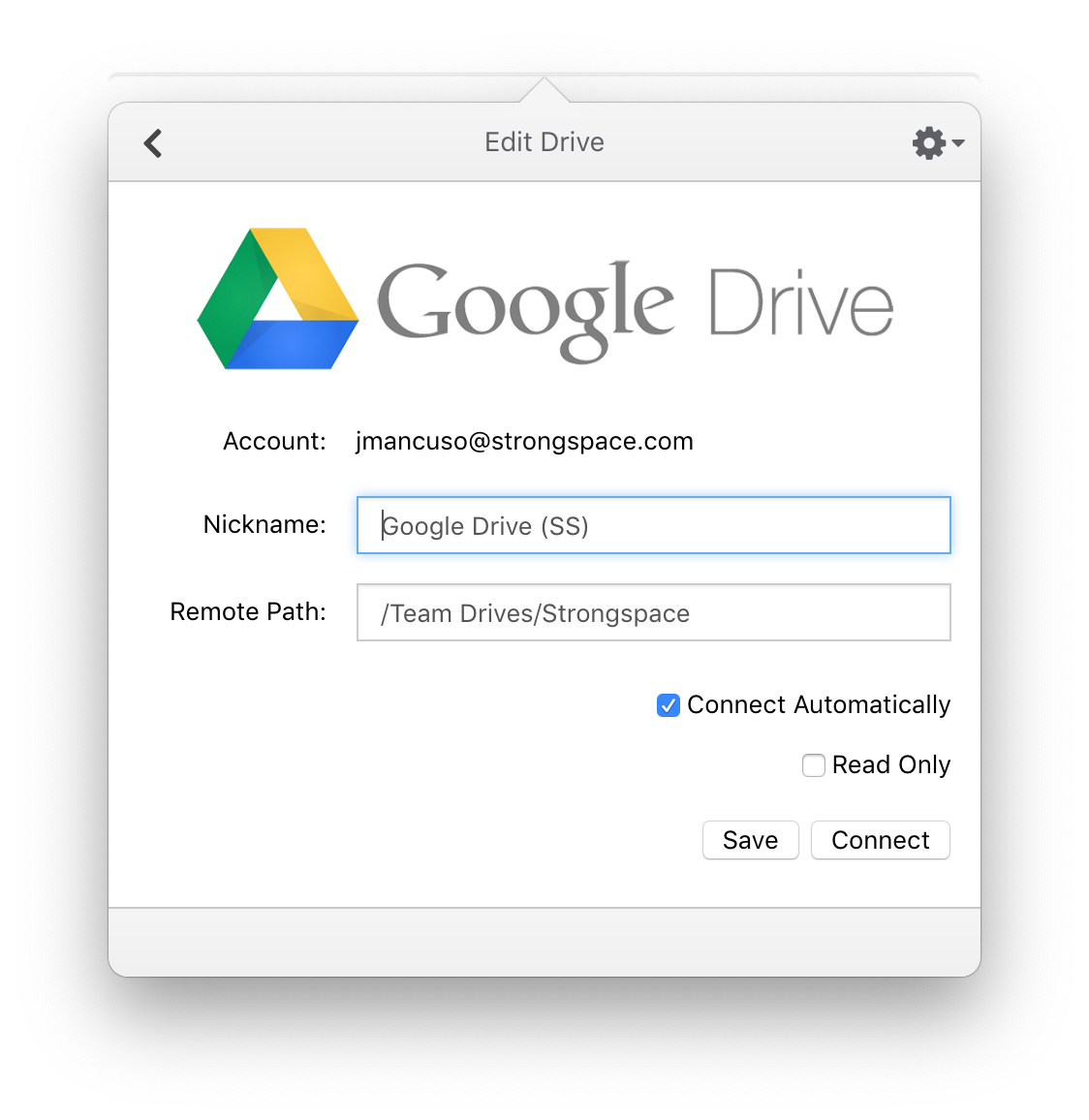
Set the remote path to a specific Shared Drive name to mount just that Drive
This is also how you do "multiple Workspace tenants at once" cleanly: one connection per tenant + Drive combination, each with its own mount point and nickname.
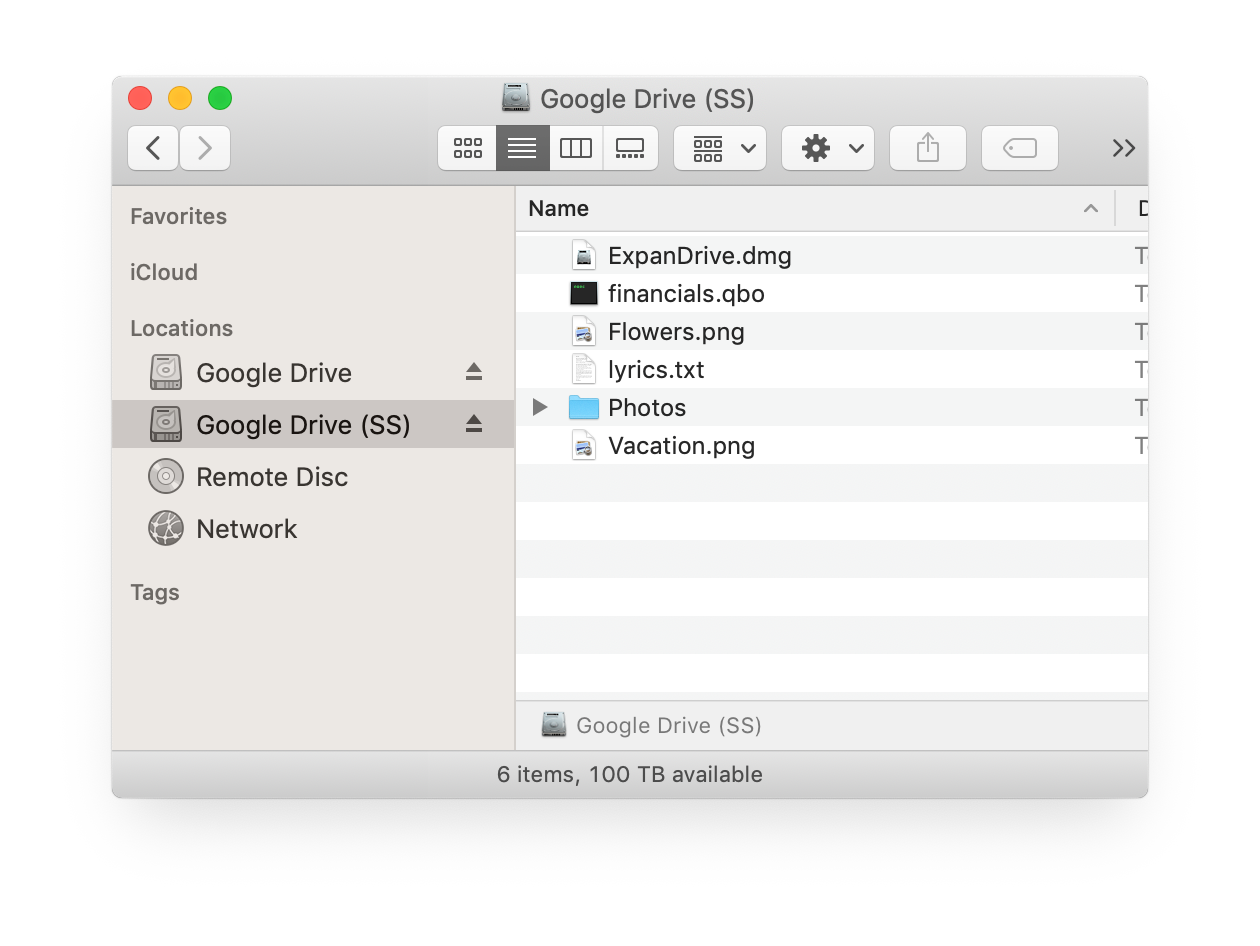
One personal Google Drive and one Workspace Shared Drive mounted side by side
Files-On-Demand semantics across all your accounts
When you double-click a file from any mounted Google Drive, ExpanDrive transparently downloads it in the background and caches it locally. Each account has its own cache; LRU eviction keeps disk usage bounded regardless of how many accounts you have mounted or how much total Drive storage they represent.
The Google Docs / Sheets / Slides shortcut-file behavior applies to all mounted accounts: those open in docs.google.com for the appropriate account. Conventional file formats (.docx, .xlsx, .pdf, etc.) open in native apps from any mount.
When ExpanDrive isn't the right answer for multiple Google Drive accounts
Three real tradeoffs:
- You have four or fewer Google accounts and you're on Mac or Windows. Google's own Drive for Desktop handles up to four accounts and is free. If you don't need Linux or a fifth account, use it.
- You need offline access to the Google Drive contents on a specific account. Drive for Desktop has offline pinning; ExpanDrive's mount semantics don't include offline by default. Use Drive for Desktop for the account where offline matters.
- You're past 10 users in a commercial / academic / government org — a paid ExpanDrive license is required. Pricing on the download page. The free tier covers individuals and small teams.
Where ExpanDrive wins is everywhere else: five or more Google Drives, mixed Workspace tenants, Linux users with Workspace accounts, anyone who wants Google Drive sitting alongside OneDrive / Dropbox / S3 / SharePoint in one client.
System requirements
ExpanDrive runs on currently-supported versions of:
- macOS — Intel and Apple Silicon
- Windows 10 / 11, Windows Server 2016+, Terminal Services / RDP environments
- Linux — Ubuntu, Linux Mint, Fedora, RHEL, CentOS, Debian, Arch, OpenSUSE (any distro with a working FUSE 2.9+ should work)
Per-user mount isolation on multi-user Windows machines — each logged-in user sees their own Google Drive connections, even on shared RDP / Terminal Services hosts. Useful if you have one Google account per Windows user on a shared machine.
Full install docs and per-OS specifics: docs.expandrive.com.
Try it
Download ExpanDrive. Free for individuals and teams under 10 users. No trial cliff, no credit card.
Connect your first Google Drive in about 90 seconds, your second in 90 more, and so on — there's no per-account fee and no four-account cap. If you're hitting Drive for Desktop's limits, running Linux, or want every cloud you use (Google, Microsoft, Dropbox, S3) in one client, this is the answer.