
You open SharePoint in a browser tab. The site shows a list of documents. You click one. The viewer takes ten seconds to load a Word file you could have opened locally in one. You want to grep across all the proposals from last quarter — there's no command-line tool that sees the documents because they live inside a SharePoint document library, not on your filesystem. You want to drop a 200 MB Photoshop file into the site — the browser uploader spins. You ask the obvious question: why isn't SharePoint just a drive letter?
It can be. This post covers how to map SharePoint as network drive shape on Mac, Windows, and Linux — both the architecture (mount vs sync) and the actual click-by-click setup to mount SharePoint as drive in your file manager. We make the tool that does this, so call this opinionated — but the technical details are real and worth reading whether you end up using ExpanDrive or not.
What "mount SharePoint as drive" actually means
A SharePoint drive mapper makes a SharePoint site appear as a local drive — Z: on Windows, a mounted volume in Finder on Mac, a folder in your Linux file manager. Open a file from the mount and your default app opens it as if it were local. The file downloads in the background on demand, gets cached, and uploads back to SharePoint when you save. That's all "mount SharePoint as drive" really is — a thin filesystem layer in front of the SharePoint REST endpoints.
This is fundamentally different from two other ways of using SharePoint:
- The browser. SharePoint's web UI is fine for reading a doc and walking away. It's painful when you need to open files in native apps, search inside file contents, batch-rename, move files between folders quickly, or treat the storage like a real filesystem.
- OneDrive sync (the Files On-Demand client). Microsoft's sync client downloads every SharePoint file you've marked into a local folder. It works, but disk usage scales with the library — a 500 GB SharePoint site needs 500 GB locally unless you carefully cherry-pick folders. And the sync client is shaky on shared SharePoint sites with strict permission scopes.
A SharePoint network drive sidesteps both. Zero local disk at rest, instant access to every file in the library, native filesystem semantics so terminal apps and IDEs see the library like any other directory.
What ExpanDrive does
ExpanDrive is a SharePoint drive mapper for Mac, Windows, and Linux. Free for individuals and teams under 10 users since the 2025 Files.com acquisition — paid licenses required for larger commercial, academic, and government teams.
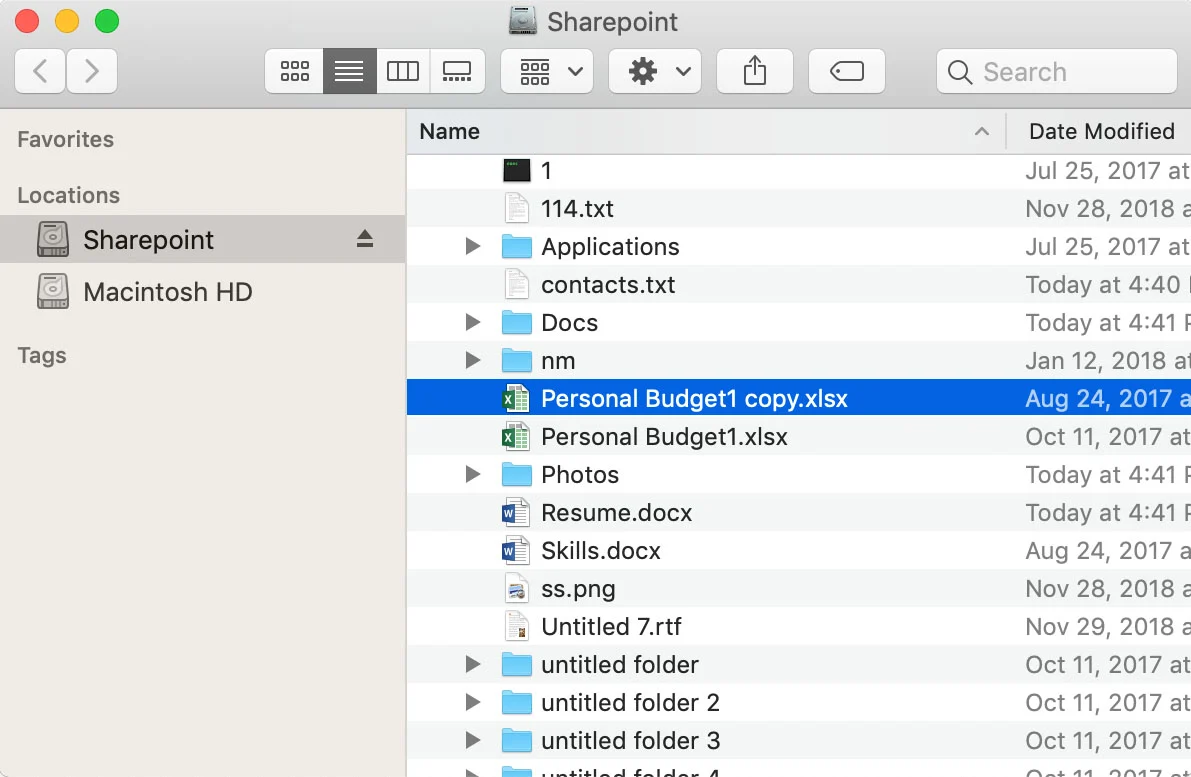
ExpanDrive connects to SharePoint through the Microsoft Graph API — the official endpoint Microsoft publishes for programmatic SharePoint access. Authentication is fully handled by Microsoft, which means your SSO setup just works: Okta, Duo, Auth0, Conditional Access policies, all the multi-factor flows your organization already enforces. No password embedding, no service-account workarounds, no screen-scraping.
What you get:
- SharePoint for Mac — Finder integration; files appear under a mounted volume, double-click opens in Office (or LibreOffice, or whatever's registered for that extension). The macOS SharePoint experience that Microsoft never shipped.
- SharePoint for Windows — assigned drive letter (your SharePoint shows up as
Z:or whichever you pick); Word/Excel/Photoshop open files directly from the mount with no extra config. The drive-letter shape Windows users have been asking for since map SharePoint to drive letter became a Google search. - SharePoint for Linux — Ubuntu, Linux Mint, Fedora, RHEL, CentOS, Debian, Arch, OpenSUSE all supported. The SharePoint Linux story Microsoft never told. Files appear under
~/Cloud Drives(or wherever you configure) and work like any other directory. - One client, three OSes — the same install across a mixed-OS team. Mac designers, Windows finance, Linux engineering all get identical SharePoint network drive behavior. No "this tool for this OS, that tool for that OS" maintenance burden.
Map a specific subsite or document library
The default ExpanDrive SharePoint connection mounts your root SharePoint URL. For most use cases that's fine. But SharePoint's real organizational unit is the subsite or document library, and you often want to mount a specific one — say, the marketing team's document library, not the entire tenant.
This is where ExpanDrive does something the OSS options don't reliably handle: you can map directly into a deeply-nested document library and have it show up as its own drive letter in Explorer or its own mounted volume in Finder.
To configure: create the SharePoint connection in ExpanDrive, complete the Microsoft authentication, then before clicking Save, modify the server field to point at the specific site path.
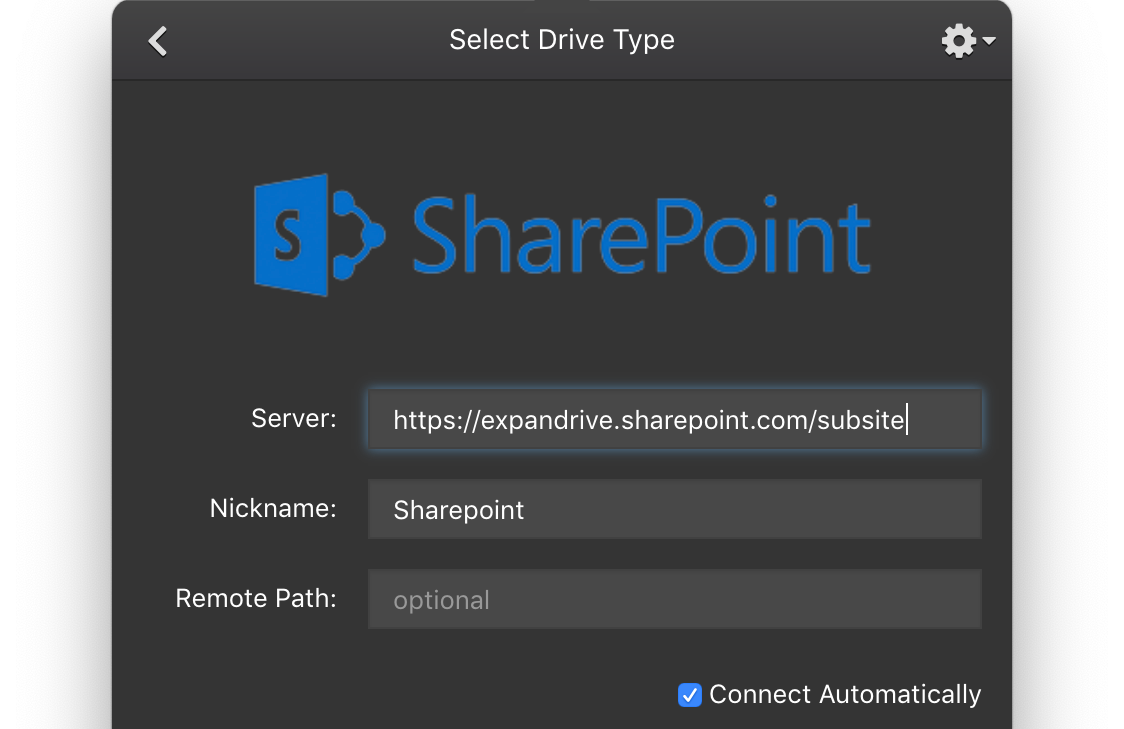
For a subsite at the root level, the value is usually just the bare site name. For nested subsites it's typically /sites/<subsite-name>. Check your SharePoint URL in the browser if you're unsure — the path after the tenant URL is what goes here.
To map directly into a document library inside that site, set the remote path to /Documents (or whatever your library is named):
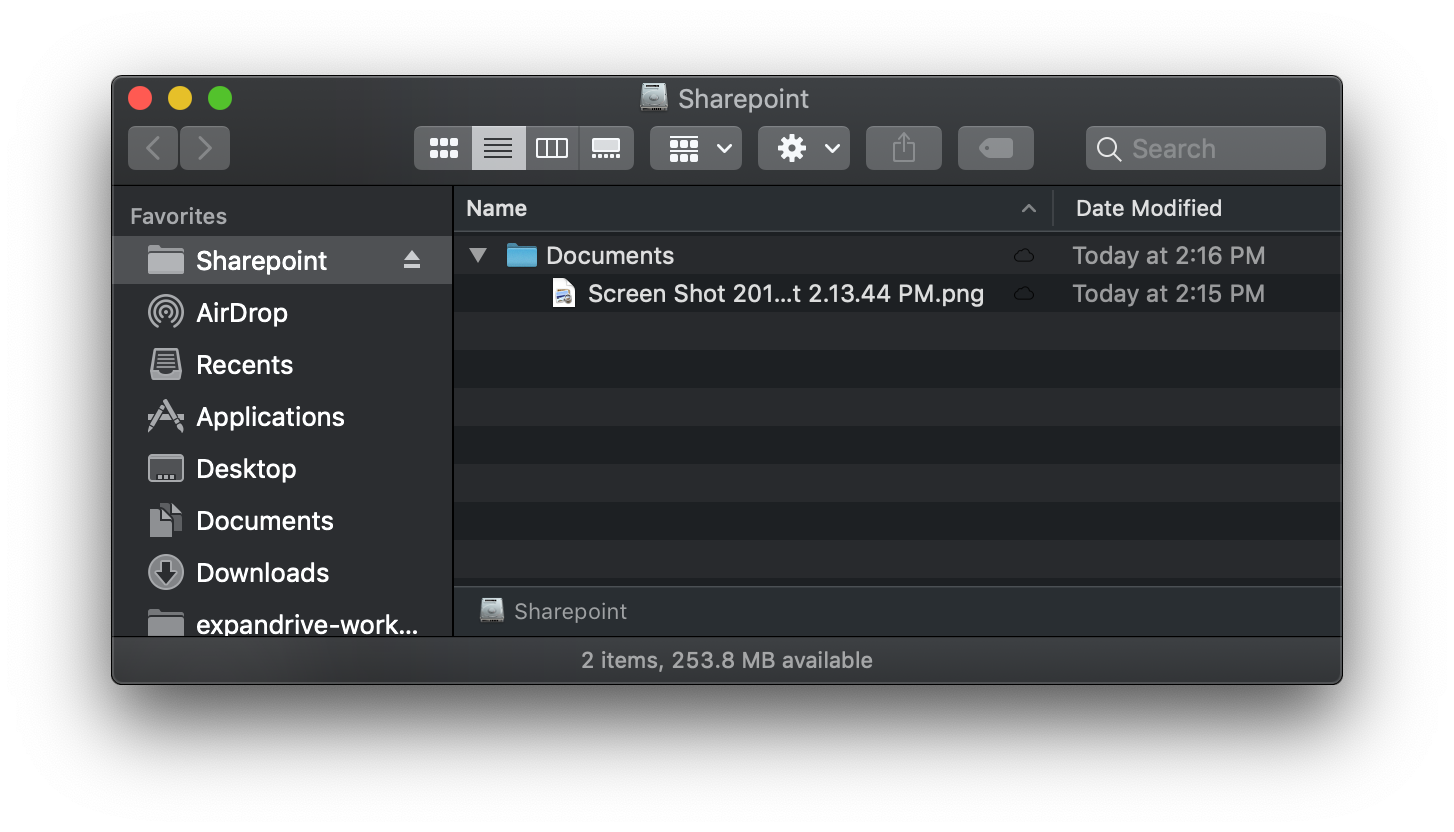
Once mounted, you can grep, find, search in Spotlight or Everything, drag-and-drop between local folders and the SharePoint mount, and open files in any app on your system. The SharePoint library effectively becomes another drive on your machine.
Files-On-Demand semantics
When you double-click a file from Finder or Explorer, ExpanDrive transparently downloads it in the background and caches it locally. The cache evicts least-recently-used content as it fills, so disk usage stays bounded regardless of library size. Word, Excel, Photoshop, IDEs — every app on your machine sees SharePoint files through the same filesystem layer.
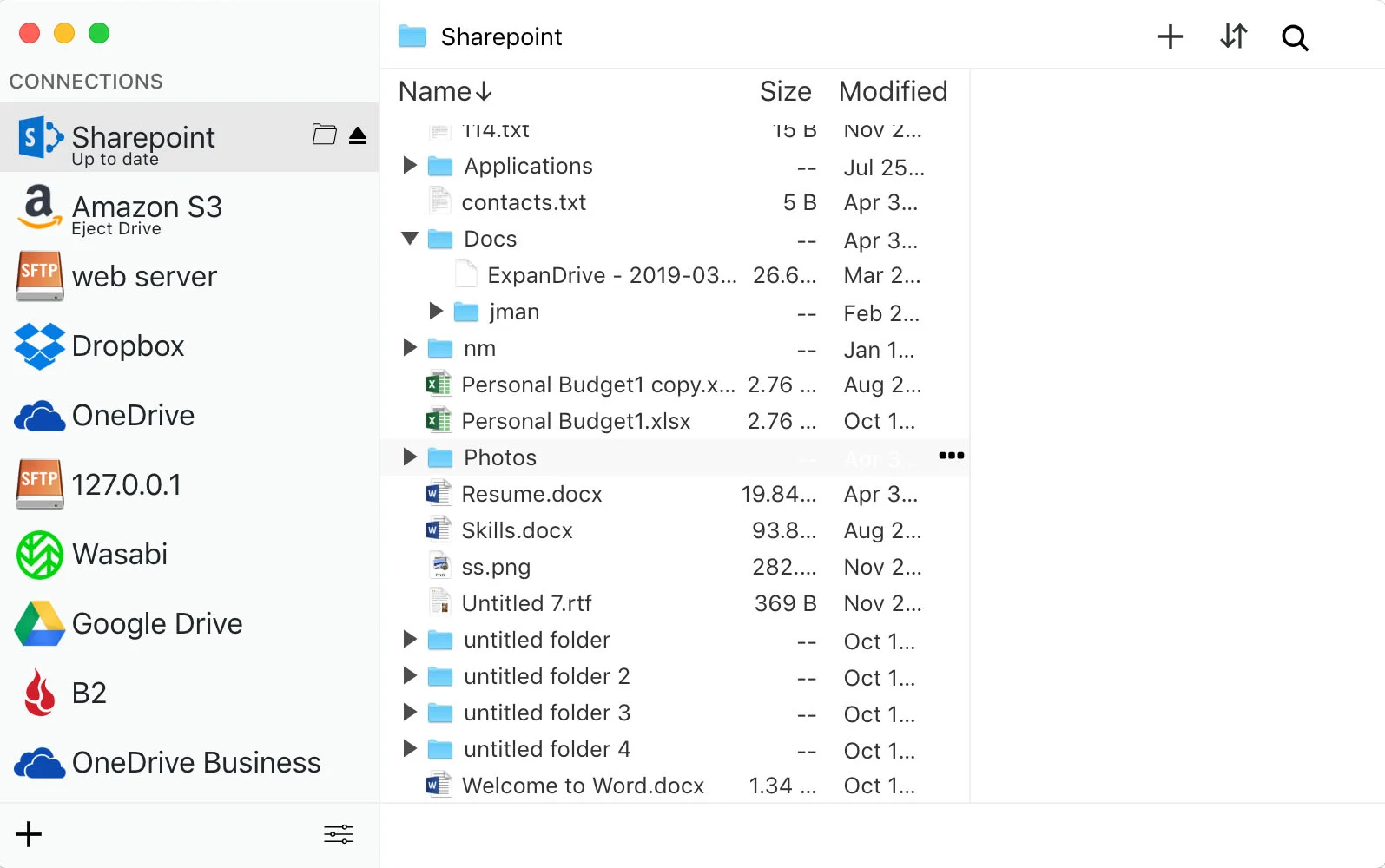
For bulk operations — migrating data into SharePoint, downloading a large folder for offline reference, uploading a directory tree — ExpanDrive's built-in storage browser does the work without going through Finder/Explorer at all. It's the same pattern many IT admins use for S3 buckets: a graphical browser when you need bulk file management, a mounted drive for everyday use.
When ExpanDrive isn't the right answer
This is a mount client, which means three real tradeoffs:
- No offline mode. If you fly a lot and need SharePoint files on the plane, mount semantics are the wrong shape. Use Microsoft's sync client and accept the disk cost.
- Bandwidth-bound for large reads. Opening a 2 GB PSD over a hotel Wi-Fi connection is gated by your downlink, not your SSD. Sync clients win here too once the file is local.
- You're past 10 users in a commercial / academic / government org — a paid ExpanDrive license is required. Pricing is on the download page. The free tier covers most readers of this post; everyone under 10 seats gets full mount functionality at no cost.
Where mount wins is everywhere else: large SharePoint libraries you can't fit on a laptop, mixed-OS teams who need consistent behavior, IT admins who need a drive-letter mount that runs at boot on a Windows server, and anyone who's tired of the SharePoint web viewer.
System requirements
ExpanDrive runs on currently-supported versions of:
- macOS — Intel and Apple Silicon
- Windows 10 / 11, Windows Server 2016+, Terminal Services / RDP
- Linux — Ubuntu, Linux Mint, Fedora, RHEL, CentOS, Debian, Arch, OpenSUSE (any distro with a working FUSE 2.9+ should work; the listed ones are what we test)
Multi-user Windows machines and RDP environments are supported with per-user mount isolation — each logged-in user sees their own SharePoint connections.
Full install docs and per-OS details: docs.expandrive.com.
Try it
Download ExpanDrive for Mac, Windows, or Linux. Free for individuals and teams under 10 users — no trial cliff, no credit card. Connect a SharePoint account in about 90 seconds and the network drive shows up the same minute.
Maps SharePoint as a network drive on every desktop OS, uses the official Microsoft Graph API, respects your existing SSO and MFA setup, and handles subsite and document library mapping cleanly. If you've been wrestling the SharePoint browser, the answer is most of an hour.