
You need to look inside an S3 bucket. Not run aws s3 ls. Not load the AWS console and click through three regional dropdowns. Not write a Python script with boto3. You want a GUI that opens, asks for your access key, and shows you the bucket — same way Cyberduck or Transmit shows you an SFTP server. You want an S3 browser.
The bare "S3 Browser" product on s3browser.com is the most famous answer to this question. It's free for personal use, has good polish, and is Windows-only. If you want an S3 browser Mac users can install, an S3 browser Linux works on, or one client that's the same on all three OSes, you need a different tool. This post covers what a real S3 browser for Mac, Linux, and Windows has to do, the AWS S3 browser landscape, and where ExpanDrive — the tool we make — fits.
What "S3 browser" means
An S3 file browser does three things the AWS console and the CLI don't:
- Browse buckets and objects with a normal hierarchical file-manager UI — click into a folder, see what's there, double-click a file to download or open it.
- Bulk upload and download with multi-threaded transfer and queue management. Drag a 50 GB folder in, watch it upload over many parallel connections, walk away.
- Manage object-level metadata — set ACL on a per-object basis, change storage class (Standard / IA / Glacier / Glacier Deep Archive), edit custom metadata headers, view object versions.
That's the bar for an S3 browser. Doing one of these well and the others badly makes a half-product. Doing none of them well makes a wrapper around the AWS web console.
ExpanDrive does all three, on Mac, Windows, and Linux, with the same UI. Free for individuals and teams under 10 users since the 2025 Files.com acquisition — paid licenses only required for larger commercial, academic, and government teams.
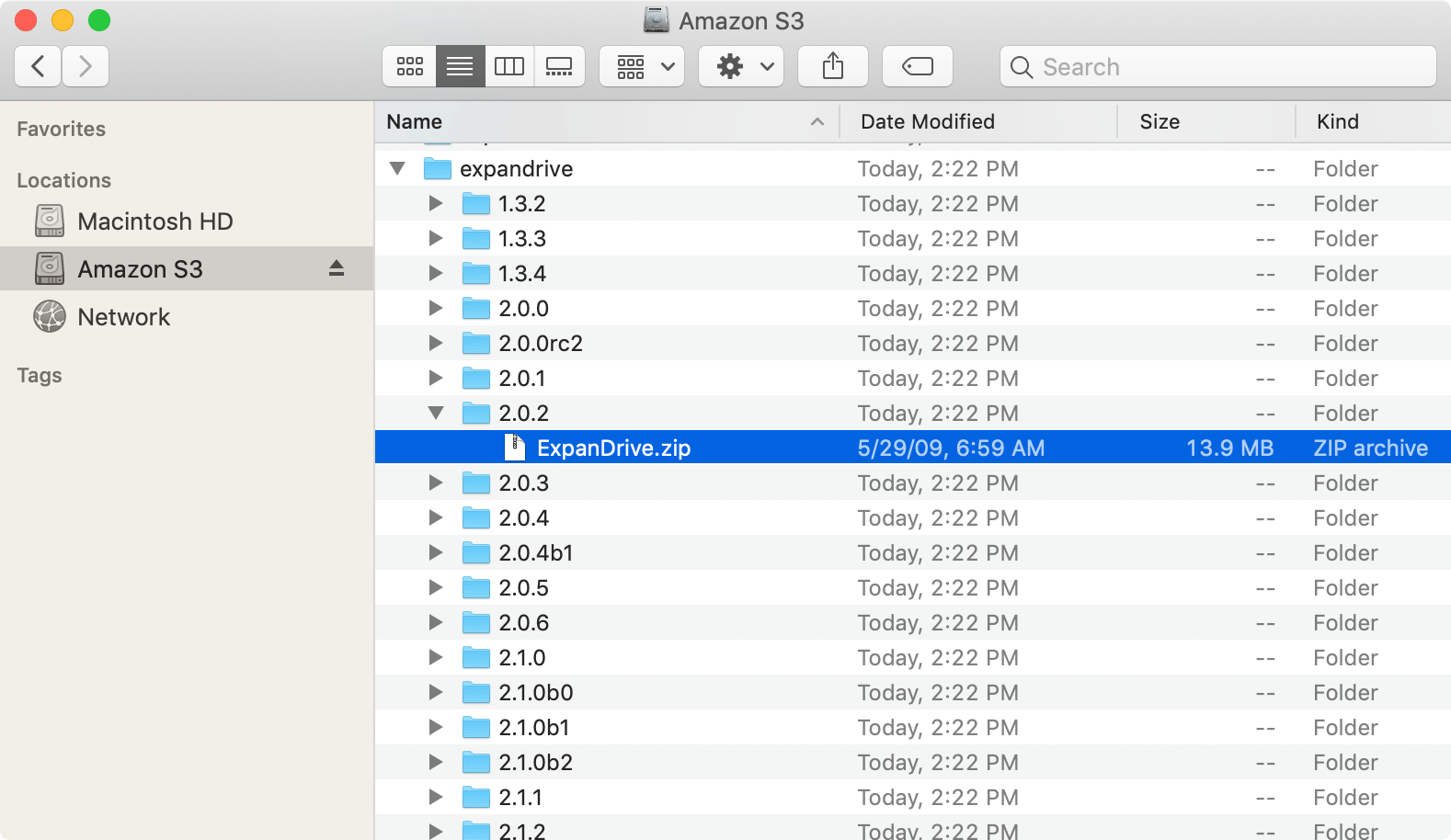
S3 buckets browsed natively in Finder
The S3 browser landscape
The real options, with the trade-offs named:
- S3 Browser (s3browser.com) — the classic. Windows only. Free for personal use, paid for commercial. Mature, popular, doesn't help if you're on a Mac.
- Cyberduck — free, cross-platform (Mac/Windows), built on a long-running OSS file-transfer foundation. Strong as a general file-transfer GUI; weaker at the high-throughput bulk-upload use case. Good free pick if you want a no-cost answer that runs on a Mac.
- Transmit (Panic) — Mac-only, paid, polished. The Apple-design-language file transfer app on Mac. Best polish in the category if you're a Mac-only user willing to pay; doesn't run on Windows or Linux.
- Mountain Duck — Cyberduck's mount-as-drive cousin. Mac and Windows; no Linux. Focused on the mount semantic rather than the browser GUI.
- AWS S3 web console — official, free, but the worst polish in the category for routine file work. Useful for IAM and bucket-policy editing; painful for actual file management.
- CloudBerry / MSP360 Explorer — Windows-only GUI, broader than just S3. Niche audience.
- ExpanDrive — what we make. Cross-platform (Mac, Windows, Linux), freemium, browser-plus-mount combo.
If you're on Windows-only and don't need anything cross-platform, the bare S3 Browser product is the obvious pick. If you're on a Mac without strong opinions, Cyberduck is fine and free. ExpanDrive shows up when you want all three OSes, the bulk-upload throughput, AND the mounted-drive option in one client. Reading on past here makes sense if that's the shape you're after.
What ExpanDrive does as an S3 browser
ExpanDrive is two tools in one. The first is a real S3 file browser GUI — drag-and-drop, multi-threaded upload, per-object metadata editing, ACL management, version inspection. The second is a mounted drive: the bucket appears as S: (Windows), a Finder volume (Mac), or a directory under ~/Cloud Drives (Linux), and every app on your machine treats it like a local filesystem. The two views are linked; the same connection backs both.
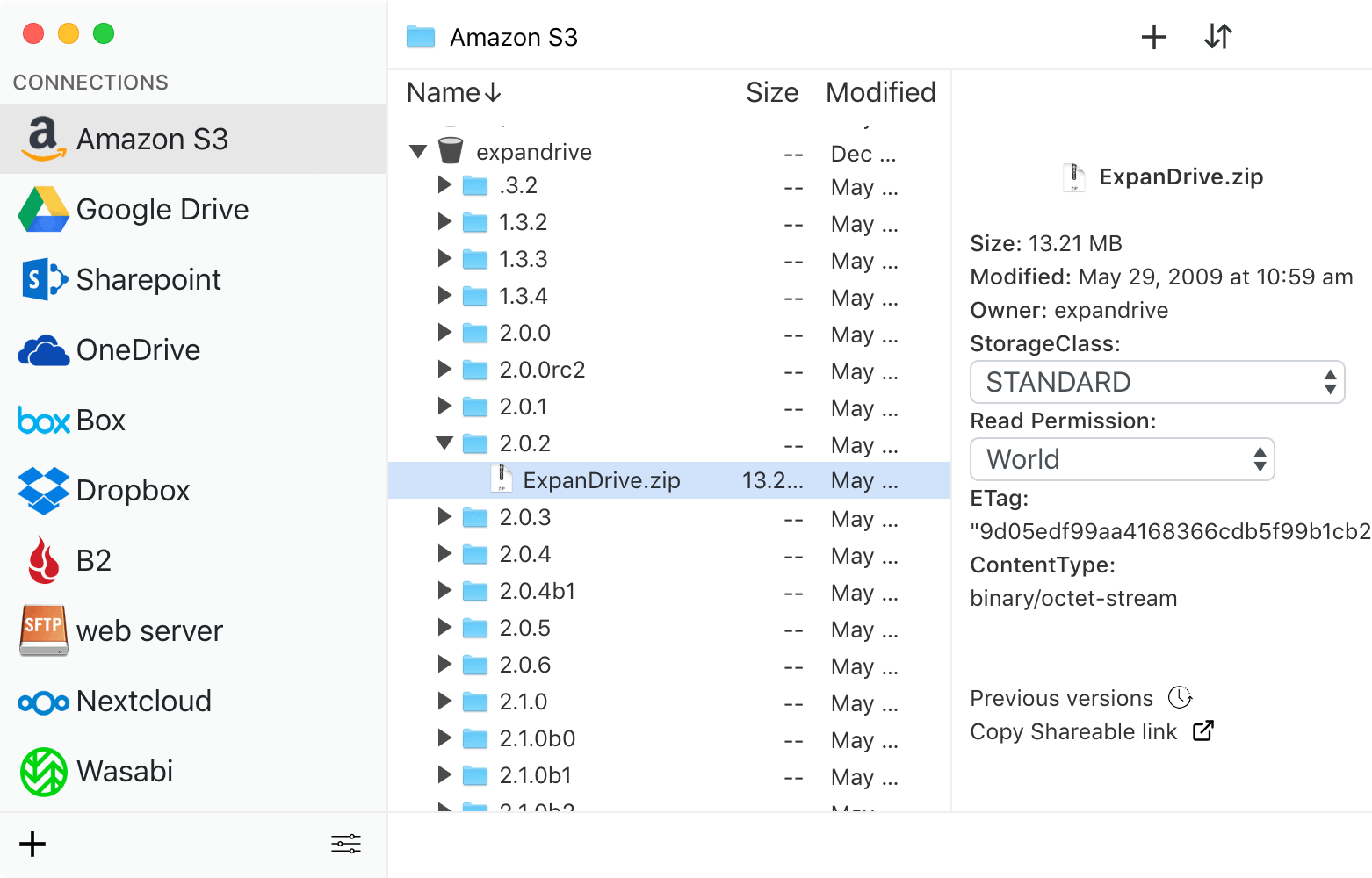
The S3 storage browser — ACL management, storage-class control, custom metadata, bulk operations
What the S3 file browser gives you:
- Object-level operations — set ACL (private, public-read, etc.), change storage class on individual objects or bulk ranges, view and edit custom metadata headers, view object versions, restore archived objects from Glacier. This is the S3 file manager side of the tool.
- Bulk upload, real throughput — multi-threaded transfer engine. Files upload in the background with parallel connections; the queue keeps moving while you work. The same engine powers the S3 browser download flow in reverse — pull a large folder out of S3 with throughput that doesn't make you wait.
- AWS S3 explorer-style navigation — the S3 bucket explorer view shows all buckets your IAM user has list permission on, walks into each one, and surfaces folder hierarchies even though S3 has no real folders. The Amazon S3 browser UI emulates the same
/-prefix folder convention the AWS console uses, so what you see in ExpanDrive matches what you see in the AWS web UI. - Granular IAM support — works with restricted IAM users that only have list/get/put on a single bucket. If your user can't list buckets at the account level, point ExpanDrive directly at the bucket name and you're in.
- Search across the bucket via the file manager, plus standard OS-level search integration once the bucket is mounted (Spotlight on Mac, Windows Search on Windows, terminal
find/grepon Linux).
The companion mounted-drive view is what makes ExpanDrive different from a pure S3 file browser. When you want to open an S3 object in Photoshop or Premiere, you double-click it from Finder/Explorer/your Linux file manager and the file streams in on demand — no need to first download to local disk, edit, then upload back. The mount and the browser share the same connection and the same cache.
Browse Amazon S3 (and any S3-compatible storage)
ExpanDrive speaks the S3 API natively, which means it works against any provider that exposes an S3-compatible endpoint:
- Amazon S3 — every region, every storage class, S3 Transfer Acceleration, VPC endpoints
- Wasabi — built-in connection profile; pick "Wasabi" instead of "Amazon S3" at connection time
- Backblaze B2 — via the B2 S3-compatible API
- Cloudflare R2 — popular for the no-egress-fees model; works as a custom S3 endpoint
- MinIO, Ceph, DreamHost DreamObjects, Oracle Object Storage, DigitalOcean Spaces, Linode Object Storage — anything that publishes an S3-compatible endpoint
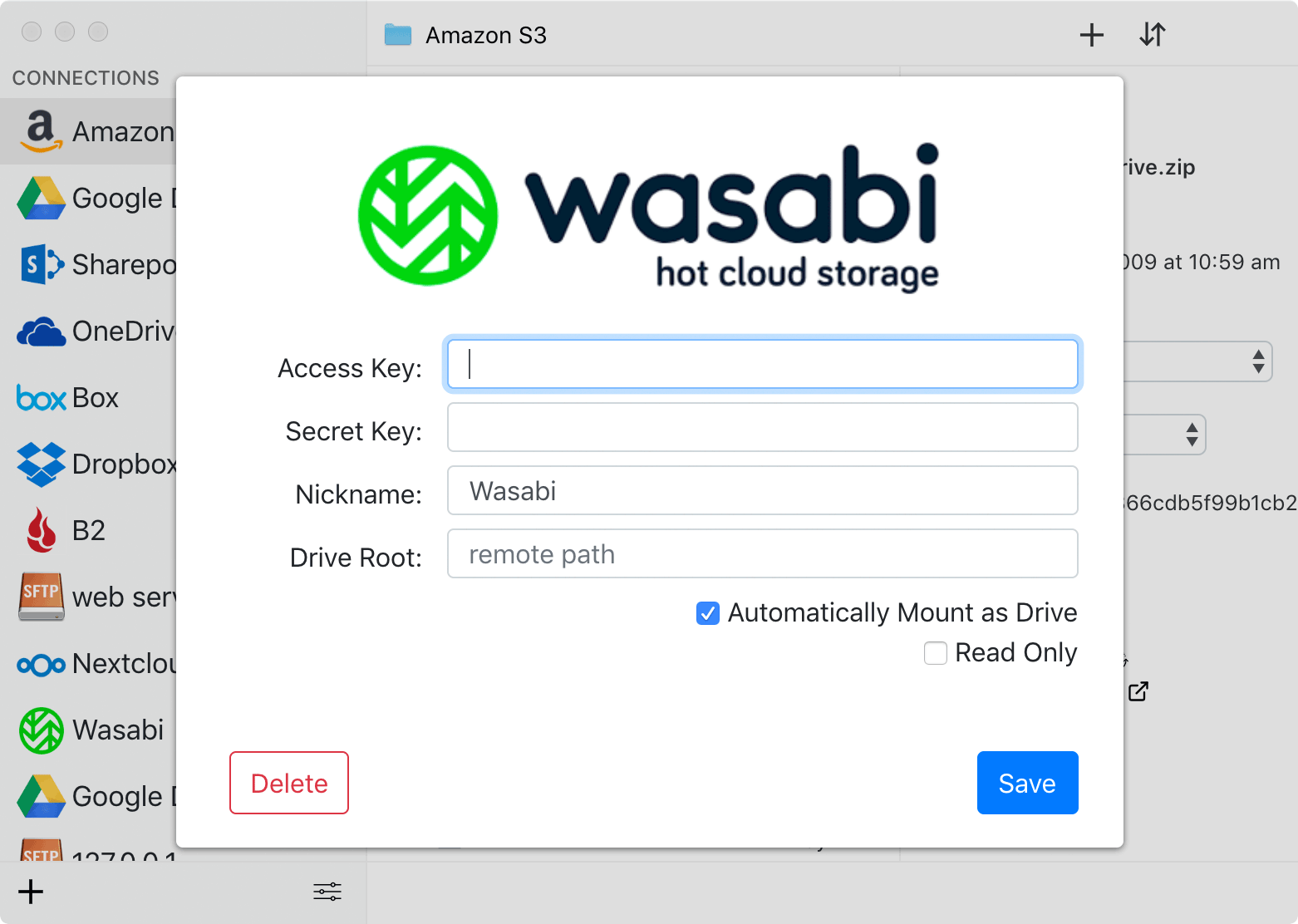
Wasabi-compatible storage with the same browser UI as Amazon S3
The same browser UI handles all of them. The same bulk upload, ACL controls (where the provider supports them), storage-class management (where applicable), and mount semantics work across providers.
How to get started
- Download ExpanDrive for Mac, Windows, or Linux. Install.
- Open ExpanDrive, click Add Connection, pick Amazon S3 (or the S3-compatible provider you're using).
- Paste your IAM access key ID and secret access key. Optionally pin to a specific bucket via the Remote Path field.
- Click Connect. The bucket browser opens, the drive mounts in your file manager simultaneously.
About 90 seconds end-to-end. The connection persists across reboots; the mount is back the next time you log in without any reconnect step.
For S3-compatible providers, the same flow works — pick the matching provider type at step 2, or for less-common providers, pick "Amazon S3" and override the endpoint URL with your provider's S3-compatible endpoint.
If your interest is specifically in mounting S3 rather than the browser GUI (drive letter in Explorer, no browser at all), see our mount Amazon S3 as a network drive post — same underlying tool, different framing focused on the filesystem-mount use case.
Server Edition for headless deployments
The ExpanDrive Server Edition runs unattended at boot (not user login) on Windows and Linux servers. Useful for CI runners that need S3 mounted as a filesystem, backup machines that re-share S3 over SMB, or any server-side workflow that needs an S3 mount as a stable mount point regardless of who's logged in. Re-share the mount over the network and downstream consumers see S3 like any other network share.
This is the paid tier — Server Edition is part of the paid licenses required for organizations over 10 users.
When ExpanDrive isn't the right answer
Three real tradeoffs:
- Windows-only and want free? The bare S3 Browser product on s3browser.com is free for personal use and is the more popular pick if cross-platform doesn't matter to you. We're not trying to compete with them on Windows-only / free / personal use.
- Mac-only and you have $45? Transmit is the polish king on Mac and worth the money for someone who lives in the Mac design language. ExpanDrive doesn't try to out-polish Transmit on Mac specifically.
- You're past 10 users in a commercial / academic / government org — a paid ExpanDrive license is required for the team. Pricing on the download page. The free tier covers individuals and small teams.
Where ExpanDrive wins is the mixed-OS team, the Linux user with serious S3 work, the developer who wants both a browser GUI and a mounted drive in one client, the shop that uses Wasabi or Cloudflare R2 alongside AWS and wants one tool for all of them, and the IT admin who needs S3 mounted on a Linux server at boot.
System requirements
ExpanDrive runs on currently-supported versions of:
- macOS — Intel and Apple Silicon
- Windows 10 / 11, Windows Server 2016+, Terminal Services / RDP environments
- Linux — Ubuntu, Linux Mint, Fedora, RHEL, CentOS, Debian, Arch, OpenSUSE (any distro with a working FUSE 2.9+ should work)
Per-user mount isolation on multi-user Windows machines — each logged-in user sees their own S3 connections, useful in shared RDP / Terminal Services environments.
Full install docs and per-OS specifics: docs.expandrive.com. The dedicated Amazon S3 integration docs cover region selection, signature version, virtual-hosted vs path-style requests, server-side encryption headers, and the common IAM permission templates.
Try it
Download ExpanDrive. Free for individuals and teams under 10 users. No trial cliff, no credit card.
A real S3 browser for Mac, a real S3 browser for Linux (Ubuntu and friends), a real S3 browser for Windows — one tool, one UI across all three, with bulk upload, ACL management, storage-class control, and the mount-as-drive companion that turns your bucket into a regular drive when you want it. The S3 explorer Mac users have asked for, the S3 browser Ubuntu users have asked for, and the AWS S3 browser the cross-platform team needs. Add the S3-compatible provider coverage (Wasabi, R2, Backblaze, MinIO, Ceph) and you have one client for every object store you touch.